Icon of program: bitRipper

bitRipper for Windows

  • Free
  • 3.2
    16
  • 19.4K
  • V1.31
Free Download for Windows

View an ad to download for free

Rip a DVD movie to AVI on the fly

A few years ago the task of ripping a DVD movie to your hard drive was so complicated that not everyone could do it. Nowadays it can get as easier as cicking on a button, which is just the way BitRipper works.

Unlock your creativity with Adobe Stock

Get 10 images or 1 video with a free trial

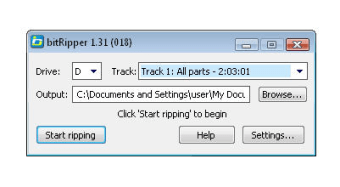
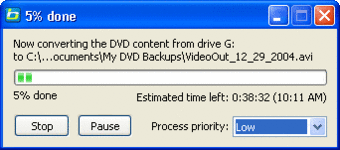
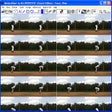
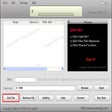
This tool is probably the easiest way to rip your favorite movies to your hard drive, provided they're not protected discs. Simply insert the disc into the DVD player, launch BitRipper and it'll automatically scan its contents and add them to a drop-down menu so that you can select exactly the sections you want to rip, if not the whole disc. Then just click on the "Start ripping" button and you're done! The DVD movie will start to be ripped to your hard drive on the fly, that is, without needing loads of space in your system.

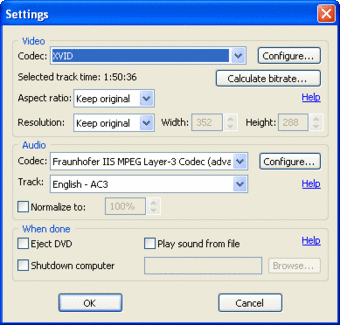
This is probably the best method for average users, but if you prefer to be in control of everything when ripping a movie, you can also customize the program's settings by selecting codec (though only those which work with AVI files), aspect ratio, resolution and other technical details.

BitRipper is probably the easiest way to rip DVD movies to your hard drive, as long as it's not protected material.

  • Pros

    • Extremely easy to use
    • Allows you to rip only certain sections
  • Cons

    • Doesn't work with protected movies
    • Only rips to AVI
 0/3

App specs

  • Developer

  • License

    Free

  • Version

    1.31

  • Latest update

  • Platform

    Windows

  • OS

    Windows 98 SE

  • Language

    English

  • Downloads

    19.4K

    Last month's downloads

    • 6
  • Size

    1.18 MB

Program available in other languages


Icon of program: bitRipper

bitRipper for PC

  • Free
  • 3.2
    16
  • 19.4K
  • V1.31
Free Download for PC

View an ad to download for free


User reviews about bitRipper

3.2

2 reviews

Add review

Main reviews for you

  • Anonymous user

    Crashes every time. I tried bitripper on XP win7. with 3 different DVD's oand in every case it crashed after about 40%. Glad I didn't buy it!!! Pros: It's free Cons: It doesn't work!

  • Anonymous user

    BitRipper doesn't work.. bitRipper doesn't work. I tried to rip a movie that was around 2 hours long and bitRipper would crash/stop working. Tried a 7 minute video on the same DVD and it worked only the video is choppy.

More

You may also like

Alternatives to bitRipper

Explore Apps

Latest articles

Laws concerning the use of this software vary from country to country. We do not encourage or condone the use of this program if it is in violation of these laws.
Softonic

Is bitRipper safe?

100/100

Score result: Clean

This file passed a comprehensive security scan using VirusTotal technology. It is safe to download.

  • Virus free
  • Spyware free
  • Malware free
  • Verified by Security Partners

    VirusTotal logo

Scan Info

Last scan
Saturday, November 25, 2023
Scan provider
VirusTotal · Full report

File Integrity

File
bitRipperSetup.exe
SHA256
8c48159033d910202cc539b529e4eae42904fe70995f0a853ca9b362c08a4d44
SHA1
3c5718483dae5639fc5ba1d759f4e009a2778cd7

Softonic security commitment

bitRipper has been thoroughly scanned by our advanced security systems and verified by industry-leading partners. This file comes from the official developer and has passed all our security checks, showing no signs of viruses, malware, or spyware. For more information, visit our Security and Trust Center

Signed in to Softonic as